Short answer: open the free JPG to PDF converter, add all your images, arrange them with the ↑ ↓ buttons, choose A4 or Letter and click Create PDF. Every image becomes one page in a single PDF. It works the same on Android, iPhone, Windows and Mac.
Universities, embassies, employers and banks often want documents as one PDF — not ten separate photos. Here is the quickest way to do it without installing an app.
Step-by-step
- Take clear photos. Lay each page flat in good light and hold the phone directly above it.
- Crop the edges. Remove the table or background with the crop tool so each page fills the PDF neatly.
- Open JPG to PDF and add all the images. JPG, PNG, WebP and iPhone HEIC are accepted.
- Put the pages in order using the arrow buttons.
- Choose page settings. A4 for most countries, US Letter for the USA and Canada. Leave orientation on Auto so landscape images are rotated correctly.
- Create and download your PDF.
Make the PDF small enough to upload
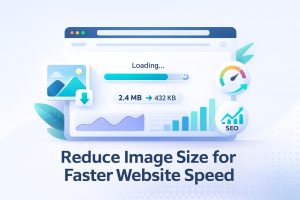
Many portals limit PDF uploads to 1–2 MB. Phone photos are large, so shrink them first:
- Compress each image with compress to 200 KB (good for readable text), then create the PDF.
- For a five-page document that gives a PDF of roughly 1 MB.
Already have several PDFs?
If some documents are already PDFs, create a PDF from your images first, then join everything with Merge PDF.
Which page size should I use?
| Option | Use when |
|---|---|
| A4 | Submitting or printing documents in Asia, Europe, Africa, Australia |
| US Letter | Submitting or printing in the USA or Canada |
| Same as image | Photo albums or screenshots that will only be viewed on screen |
Privacy
Certificates, ID cards and bank statements are sensitive. The PixelTight converter builds the PDF inside your browser, so your documents are never uploaded to a server.
Frequently asked questions
How do I combine photos into one PDF on iPhone?
Open the JPG to PDF tool in Safari, tap the upload area, choose your photos from the library, arrange them and tap Create PDF.
How do I convert multiple JPGs into one PDF on Windows?
Open the JPG to PDF tool in your browser, drag all the JPG files into it, order them and click Create PDF.
How can I reduce the PDF size?
Compress the images before creating the PDF, for example to 200 KB each, and use A4 rather than Same as image.
Is there a page limit?
No fixed limit. For very large batches, create a few PDFs and merge them.