Editing images shouldn’t require heavy software or expensive subscriptions. Whether you’re preparing graphics for your website, optimizing product photos, or cleaning up screenshots, you need a tool that’s fast, simple, and accessible from any device.
That’s exactly why the PixelTight Crop Image Tool exists. You can explore it here:
Crop Image Online – Free Tool
This powerful online editor allows you to crop, adjust, and enhance images instantly in your browser — completely free.
⭐ A Clean, Modern Interface Built for Speed
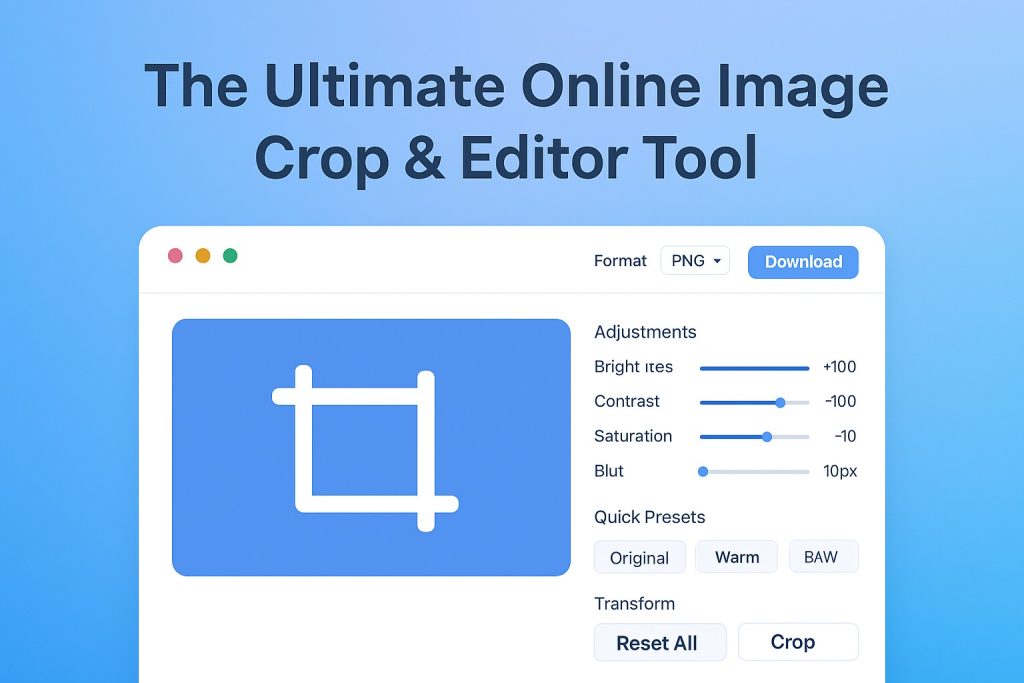
The moment you open the editor, you’ll see how simple the workflow is. Just drag & drop your image and start editing right away.
No sign-up.
No download.
No watermark.
Just fast, effective editing.
Advanced Adjustment Tools
The editor gives you full control over your image through a set of intuitive sliders:
Brightness (fix dark or washed-out photos)
Contrast (sharpen or soften image details)
Saturation (boost or reduce color intensity)
Blur (soft backgrounds or hide sensitive details)
These adjustments make your images look clean, balanced, and professional.
Instant Presets for Fast Enhancement
For quick one-tap editing:
Original – revert instantly
Warm – natural, soft golden tones
B/W – clean grayscale conversion
Perfect for social media, product images, and thumbnails.
Transform Tools for Total Flexibility
Take control of positioning and orientation with:
Rotate (left/right)
Flip horizontal/vertical
Undo & redo
Reset all edits
These features make the editor ideal for content creators, designers, and everyday users alike.
✂️ Crop Tool With Extra Features (Internal Link Highlighted)
The star of the tool is the Crop Image feature — precise, fast, and fully customizable.
For anyone who needs reliable image cropping, visit the dedicated page here:
https://www.pixeltight.com/crop-image/
✨ New Extra Crop Features Include:
Preset aspect ratios (1:1, 4:3, 16:9, custom sizes)
Live dimension display for accurate cropping
Smart auto-detect subject cropping
Drag handles for precision control
Instant preview before download
Whether you’re preparing Instagram photos or website banners, these features deliver perfect results.
Export in High-Quality PNG or JPG
After editing, choose your preferred format:
PNG – high resolution
JPG – lightweight for websites
You can even adjust the image quality slider to balance clarity and file size.
Why This Tool Stands Out
100% free
No watermarks
Super fast
Beginner-friendly
Ideal for creators, businesses, and students
If you need a fast, reliable online image editor, this tool is easily one of the best available.
Try It Now
Start cropping your images with precision and ease at:
https://www.pixeltight.com/crop-image/
A clean, powerful, and free editing experience — built for everyone.